
How to Change your Trading Account Password - Aiko

How to Change your Trading Account Password


Step-by-Step Guide

1. Tap on My Accounts
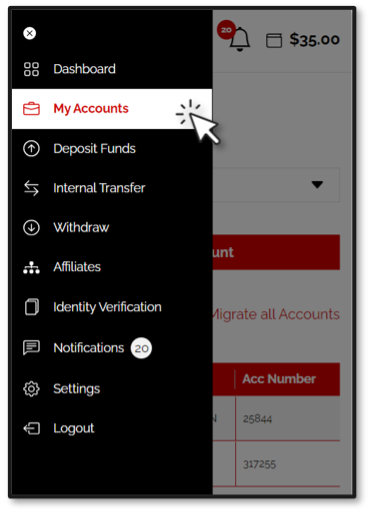
 

2. Tap on the account for which you would like to change the password
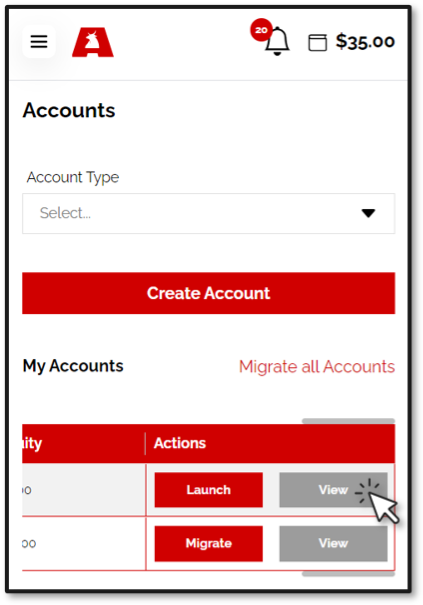


3. Tap the three Dots near your account ID. 
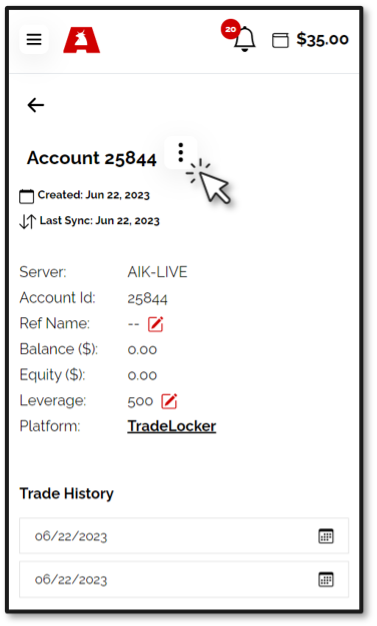
 

4. Select Change Password.
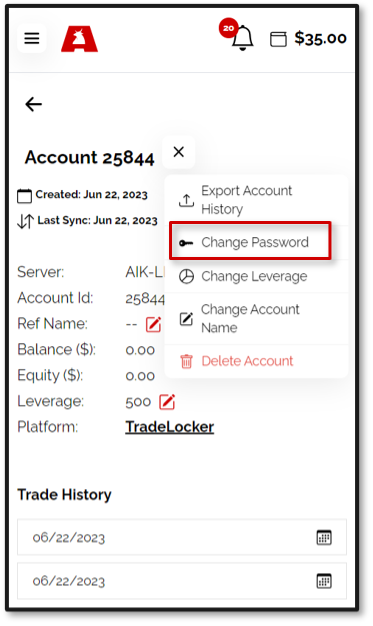
 

5. Tap the Change Password button.
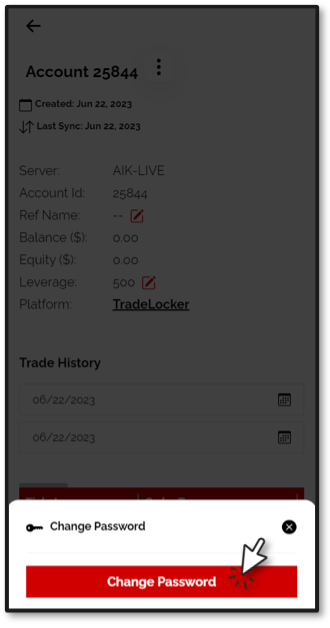
A new password will now be sent to your inbox which you may use upon your next login.



Can't find what you're looking for?

Let us help you!

IMPORTANT ANNOUNCEMENT: Please be advised that accessibility to this User Portal and the TradeLocker Trading Platform will be changing soon in relation to this Broker.

Read More